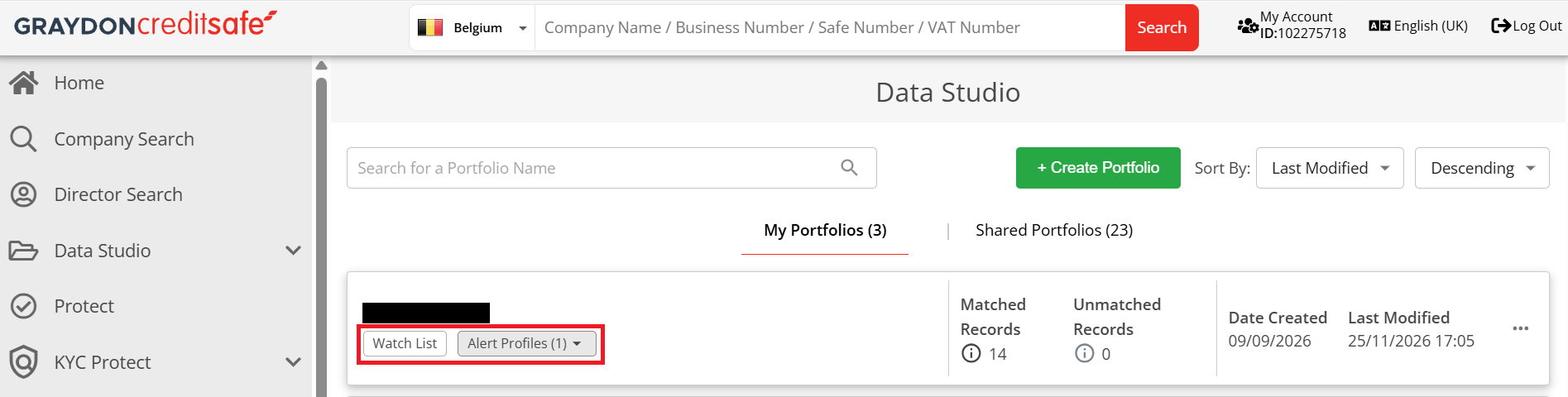
Data Studio offers both Alerts and Watch Lists to help you identify potential risks within your company portfolios.
Although both features can be applied to portfolios, they serve different purposes.
What are Alerts?
Alerts notify you about important changes affecting companies within your portfolio, such as changes in credit scores, legal filings or risk categories. You can create an Alert profile for a portfolio, configure which changes trigger notifications using Global and Local Rules, and select who should receive email notifications.
Alerts can be accessed through Data Studio > Alerts.
Learn more: How do I set up and manage Alerts in Data Studio?
What are Watch Lists?
Watch Lists allow you to flag companies within a portfolio. When a Watch List is enabled, a warning appears on the GraydonCreditsafe Company Report of matched companies included in that portfolio.
Watch Lists are configured within Data Studio > Portfolio Manager > Settings > Watch List.
Unlike Alerts, Watch Lists do not generate notifications about company changes.
Learn more: How do I configure a Watch list in Data Studio?
Can I use both features together?
Yes. Alerts and Watch Lists can be enabled separately or used together within the same portfolio. If Alerts or Watch Lists are configured for a portfolio, this will be indicated in the portfolio list.